
 Jolie Serrano
Need a clear and professional way to show where your company, clients, projects, or operations are located around the world?
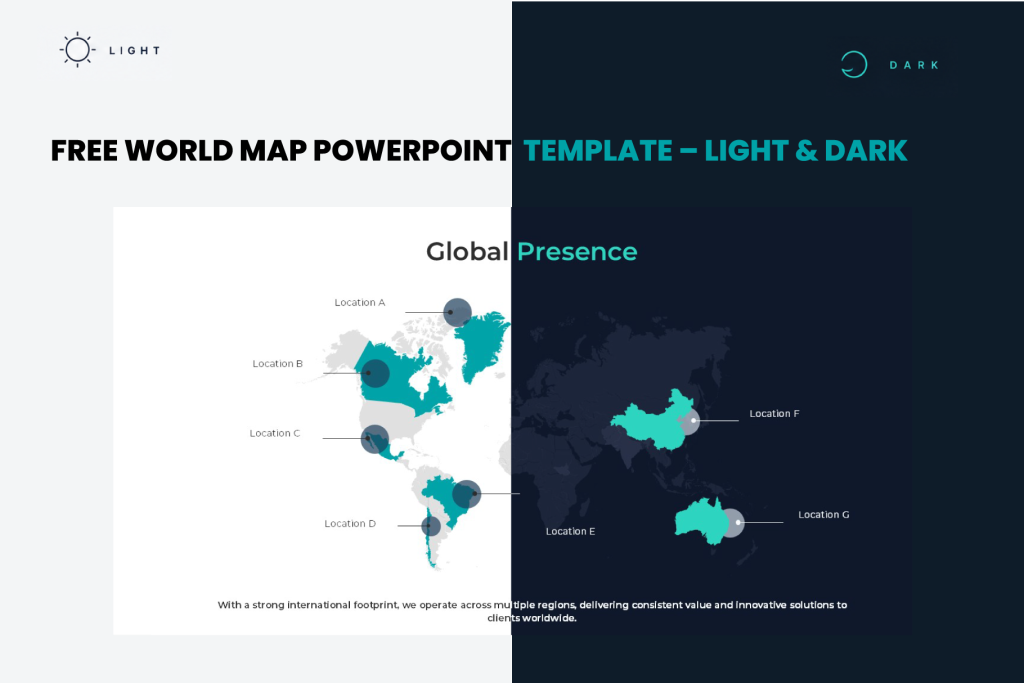
This free World Map PowerPoint Template gives you an editable global map that you can customize to highlight countries, regions, offices, markets, customers, or any other international presence you want to show.
The slide is designed to communicate geographic information quickly without filling your presentation with long paragraphs or complicated tables.
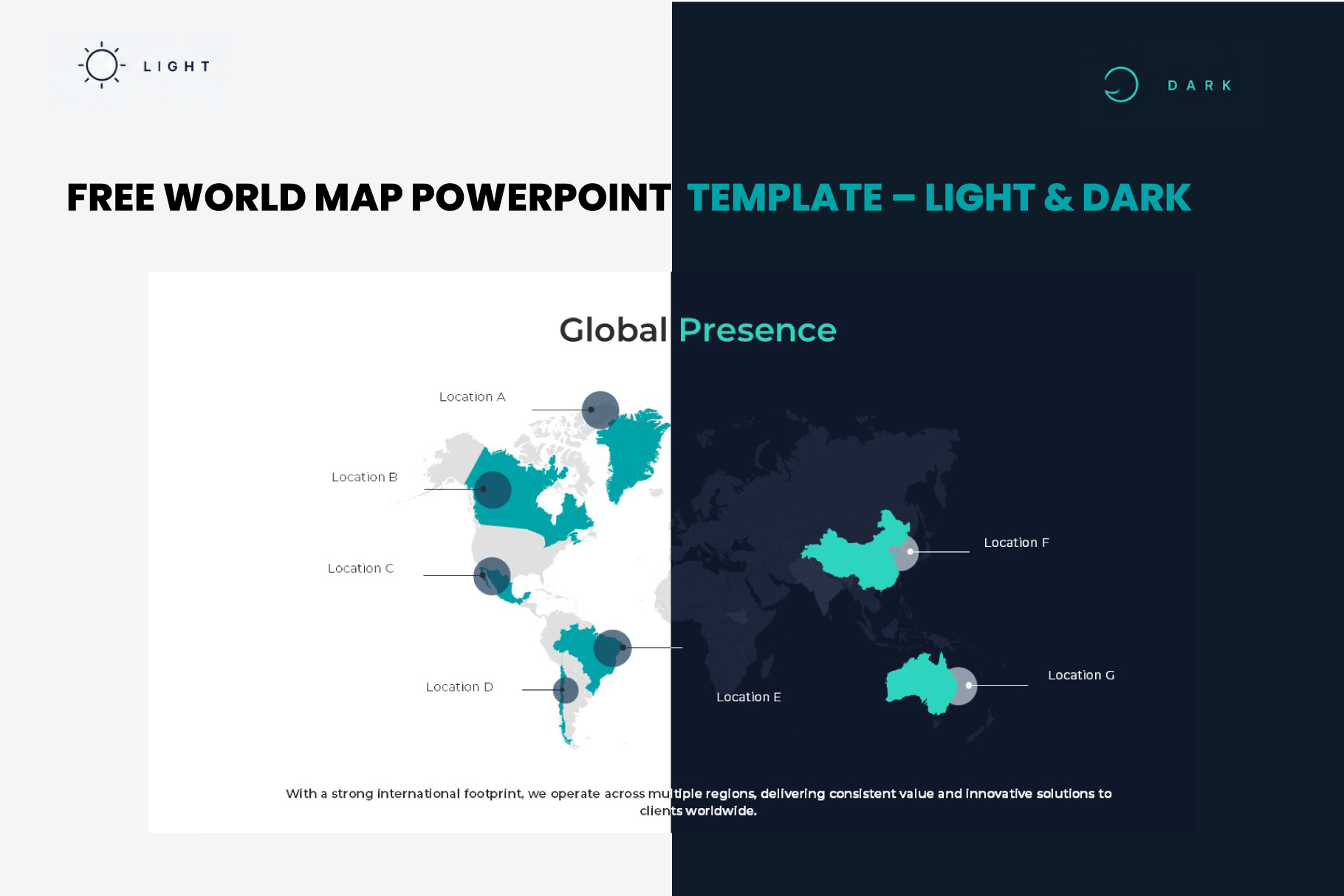
You can download it for free in Light and Dark versions and customize the colors, labels, locations, and text directly in PowerPoint.
Download the Free World Map PowerPoint Slide
Download Free World Map Template
Includes Light & Dark PowerPoint versions
Show Your Global Presence in One Slide
A world map is especially useful when your audience needs to understand the geographic reach of a company or project at a glance.
You can use this slide to show corporate offices, international customers, sales territories, project locations, countries where your company operates, distribution networks, global partnerships, or expansion plans.
The included design uses highlighted countries and location markers so you can draw attention to the regions that matter most without overwhelming the presentation.
This makes it useful for company profiles, business presentations, annual reports, sales decks, market expansion presentations, consulting projects, and international strategy presentations.
Fully Editable World Map for PowerPoint
This is not just a static image of a world map.
The main elements of the slide are editable in PowerPoint, allowing you to adapt the design to your own presentation.
You can change the highlighted regions, customize the colors to match your brand, replace the location labels, move the markers, edit the text, and adjust the visual hierarchy depending on the information you need to show.
The template uses a 16:9 widescreen format, making it easy to add to modern PowerPoint presentations.
How to Use This World Map PowerPoint Template
Start by deciding what you want the map to communicate. For example, you might want to show the countries where your company operates, your main customer markets, office locations, or the regions included in a future expansion plan.
Then replace the sample location labels with your own information and highlight the countries or regions that are relevant to your story.
You can keep the existing color palette or update the slide with your corporate colors.
The Light version is ideal for clean and corporate presentations, while the Dark version works well when you want a stronger and more visual presentation style.
When Is a World Map Slide Useful?
A world map can replace several lines of explanation when geography is an important part of your message.
For example, instead of writing that your business operates across North America, Latin America, Europe, and Asia, you can show those regions immediately on the map.
It can also work particularly well for Global Presence, International Operations, Market Coverage, Our Locations, Worldwide Customers, Expansion Strategy, Company Footprint, or Regional Performance slides.
Ese párrafo me gusta mucho porque también introduces búsquedas semánticas relacionadas sin llenar la página de keywords.
Looking for More Slides Like This?
This free world map is one of the layouts included in our complete Business Presentation Bundle, designed to give you a full library of professional slides in one place.
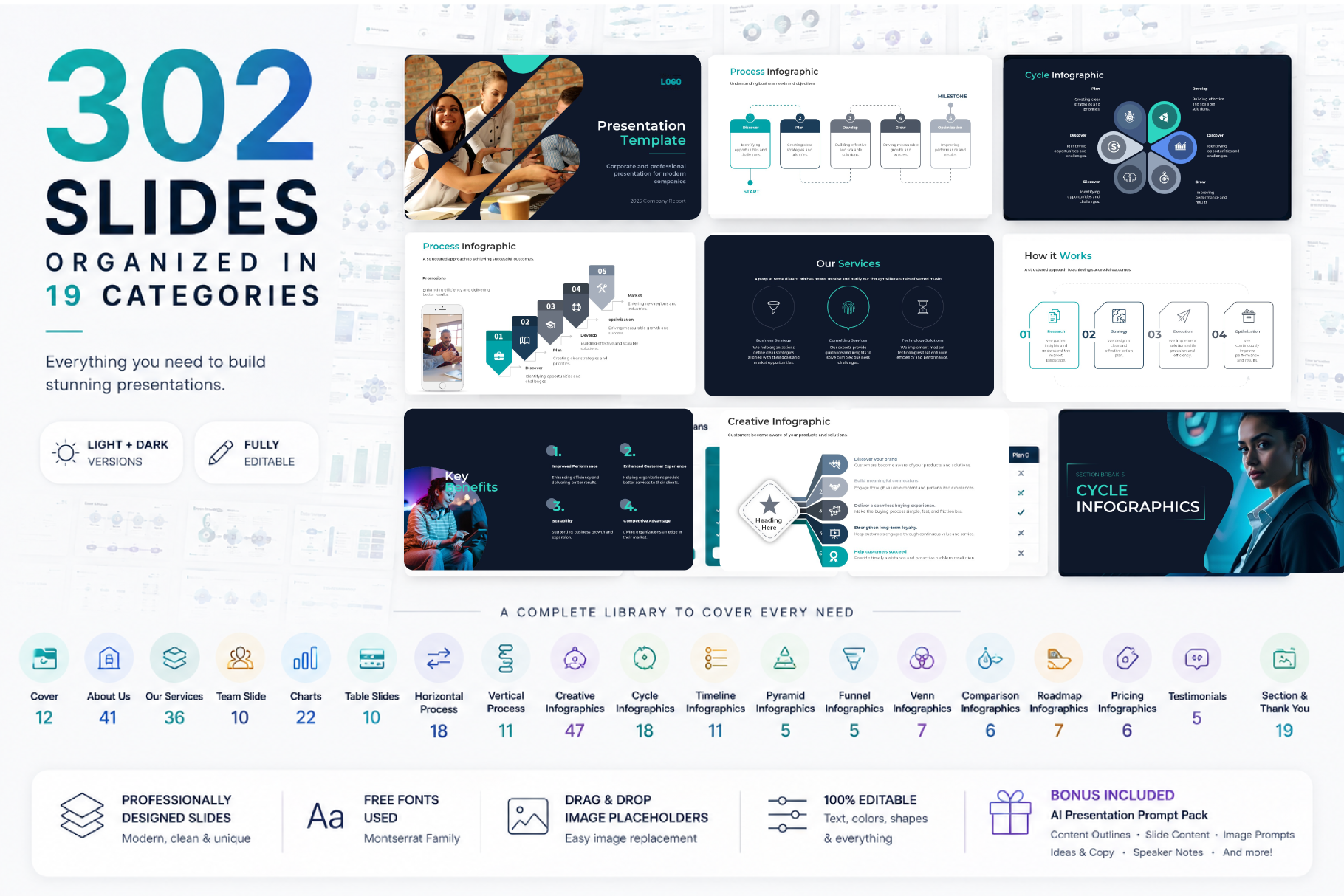
The bundle includes 302 unique slides organized into 19 categories, so instead of downloading a different template whenever you need a map, timeline, process, chart, dashboard, team slide, pricing layout, comparison, or infographic, you can build your entire presentation using one consistent design system.
Inside the bundle you’ll find company profile slides, services, charts and dashboards, tables, processes, creative infographics, timelines, roadmaps, comparisons, pricing layouts, team slides, testimonials, and many other business presentation layouts.
And because the complete bundle includes Light and Dark versions for PowerPoint, Google Slides, and Keynote, you can keep the same visual system across different projects and presentation platforms.
It also includes the AI Presentation Prompt Pack – Premium Edition, designed to help you create presentation outlines, slide content, speaker notes, visual ideas, image prompts, and more.
Upgrade to the Complete Presentation Bundle
Get 302 Professional Business Slides in One Complete Bundle
🚀 Build polished presentations faster with a complete collection of ready-to-use business slides.
Limited-Time Launch Offer
$50.00
→
$7.00
Frequently Asked Questions
Is this World Map PowerPoint Template free?
Yes. You can download the world map slide for free and customize it directly in PowerPoint.
Can I change the highlighted countries?
Yes. The map is designed to be customized so you can adapt the highlighted regions and locations to the information you want to present.
Can I change the colors?
Yes. You can adapt the slide colors to match your company, project, or preferred presentation style.
Does the download include a Dark version?
Yes. The free download includes both Light and Dark versions of the world map slide.
What can I use the map for?
You can use it to present global presence, international offices, market coverage, customer locations, expansion plans, project locations, regional operations, or other geographic information.
Where can I find more map and infographic slides?
The complete Business Presentation Bundle includes 302 editable layouts across 19 categories, including infographics, timelines, roadmaps, charts, processes, company slides, and more.


GIPHY App Key not set. Please check settings