


 Jolie Serrano

Ever wondered if you’re spending too much or too little time on each PowerPoint slide? It’s a common question for anyone preparing a presentation. The answer depends on your content, audience, and, of course, your overall presentation time. Don’t worry—we’re breaking it all down to help you strike the perfect balance. So, let’s dive into the golden rule for how many minutes per PowerPoint slide you really need.
The 1-2 Minute Rule: A Tried-and-True Guideline
A good rule of thumb is to spend about 1-2 minutes per slide. This gives you enough time to explain the content clearly without losing your audience’s attention or rushing through. Think of it as the sweet spot for pacing:
- Less than 1 minute per slide: You risk overwhelming your audience with too much rapid-fire information.
- More than 2 minutes per slide: You might lose their attention if your slide feels like it’s dragging.
But Wait—Timing Depends on the Presentation Type
Here’s where things get a little nuanced. Not all presentations are created equal, and your timing should align with your specific goals:
For 10-Minute Presentations:
Keep things snappy and focused. Aim for 7-10 slides to stay within the 1-2 minute guideline. Use concise text and visuals to hit the main points without cramming too much information.
For 15-Minute Presentations:
A little more time lets you elaborate on key points. With 10-15 slides, you can take a slightly deeper dive while still maintaining a good flow. Be sure to prioritize your most important content to keep your audience engaged.
For 30-Minute Presentations
With more time comes the risk of losing attention. Use 20-30 slides and add interactive elements like polls or Q&A sections to keep things lively. Break up the presentation with visuals, videos, or storytelling to maintain engagement.
When the Rules Don’t Apply
While the 1-2 minute rule is a solid baseline, there are always exceptions:
- Data-Heavy Slides: You might need more than 2 minutes to explain detailed charts, graphs, or infographics.
- Simple Visual Slides: If your slide contains a single image or quote, it might only need 30 seconds of explanation.
- Interactive Elements: Slides involving polls, questions, or audience participation may take longer than average.
The 10-20-30 Rule for Slide Presentations
If you’re presenting to busy professionals, the 10-20-30 rule might be your best friend:
- Use 10 slides or fewer.
- Present for 20 minutes or less.
- Use at least a 30-point font to keep slides readable.
This approach is perfect for delivering concise, impactful presentations that respect your audience’s time. you can know more about this rule in my Blog called: “How to make a good Presentation in PowerPoint.”
Practical Tips for Mastering Slide Timing
Want to nail your timing? Follow these tips to keep your presentation smooth and engaging:
- Practice, Practice, Practice: Rehearse with a timer to see how long you spend on each slide. Adjust as needed to avoid rushing or dragging.
- Design Thoughtfully: Stick to one idea per slide to make pacing easier and avoid overwhelming your audience.
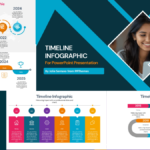
- Use Visual Cues: Incorporate charts, images, or timelines (yes, like a PowerPoint template timeline!) to visually guide your audience through your points.
- Engage Your Audience: Encourage interaction through Q&A, polls, or storytelling to keep things dynamic and naturally extend your timing.
So, How Many Minutes Per PowerPoint Slide Should You Use?
In most cases, the 1-2 minute rule is your best bet. It ensures a steady pace and helps your audience digest information without feeling overwhelmed. Remember, the key isn’t just in the timing but also in the quality of your content and how well it aligns with your overall presentation goals.
And if you’re still stressing about your slides? Don’t! We’ve got free PowerPoint templates—including timelines, infographics, and more—that’ll help you create stunning presentations without the hassle.


GIPHY App Key not set. Please check settings